

About Manage Users
About Manage Users
SLS School Admins are able to view the Names, SLS User ID, Role(s), Form Class, Index Number, Last Login Date, MIMS Status, SLS Account Status, Last Reset Date, Last Reset By, and Email. Most of this field can be sorted in ascending/descending order. Click the Up/Down arrows in the table header to sort the results.
- On the Manage Users page, search for users in your school based on SLS user ID, Emails, and Names.
To refine the search results, select the following filters from the respective dropdown list:
- SLS Account Status - Activated, Activated (Locked), Not Activated, Not Activated (Locked), Inactive
Form Class (for students only)
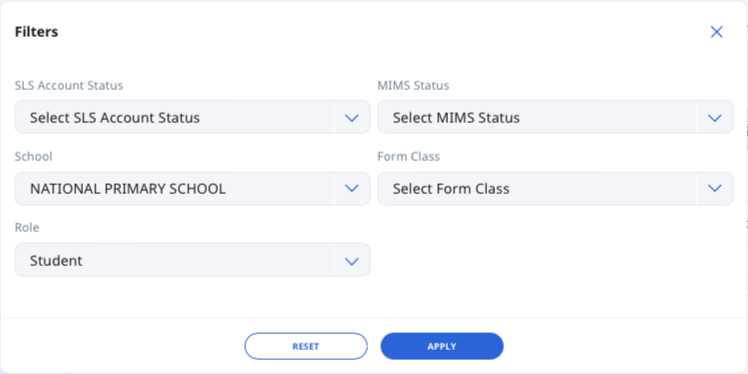
Click Filter to select additional filters:
- MIMS Status - Active, Inactive, Not Applicable
- School
Role - School Admin, Teacher, Student
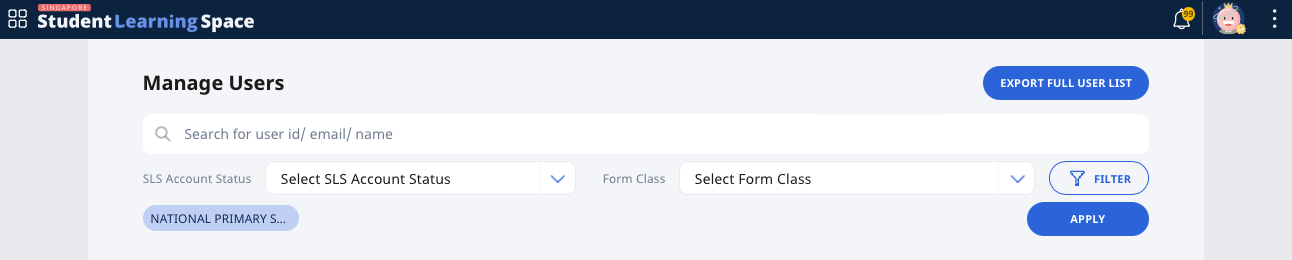
Click Apply to confirm your selection(s) or Reset to start again.